
Product
How it works
Book tickets as a customer, or run events as an organiser. Same platform, two clear paths.
For customers
From browse to the door
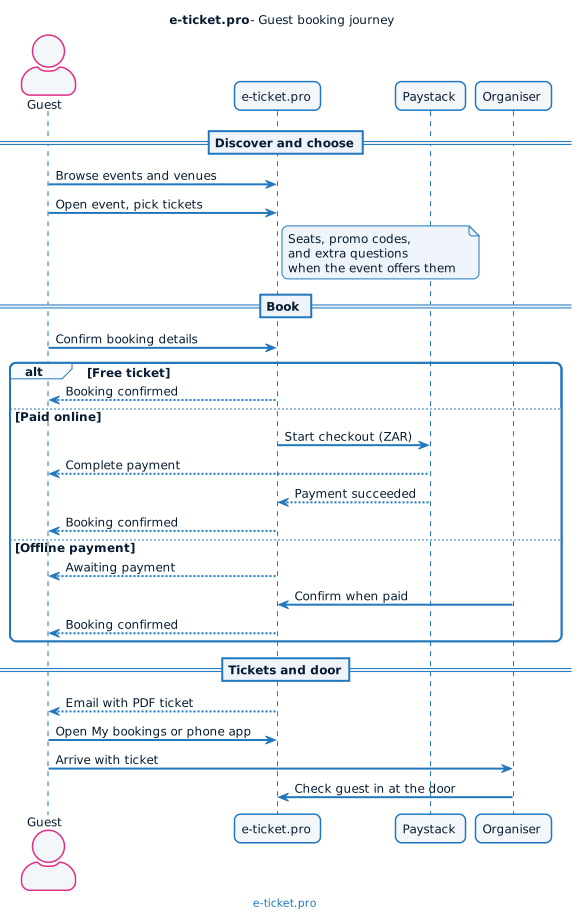
Find an event, book a ticket, and bring it with you. Paid checkout uses Paystack.
-
Discover
Browse events, venues, and organiser pages on the public site.
-
Choose
Pick ticket types, seats when offered, promo codes, and any extra questions.
-
Book
Free confirms now. Paid goes through Paystack (ZAR). Offline waits for the organiser.
-
Get tickets
Email with PDF, My bookings on the web, and the phone app.
-
Attend
Show your ticket at the door. The organiser checks you in.
For organisers
Publish, sell, check in
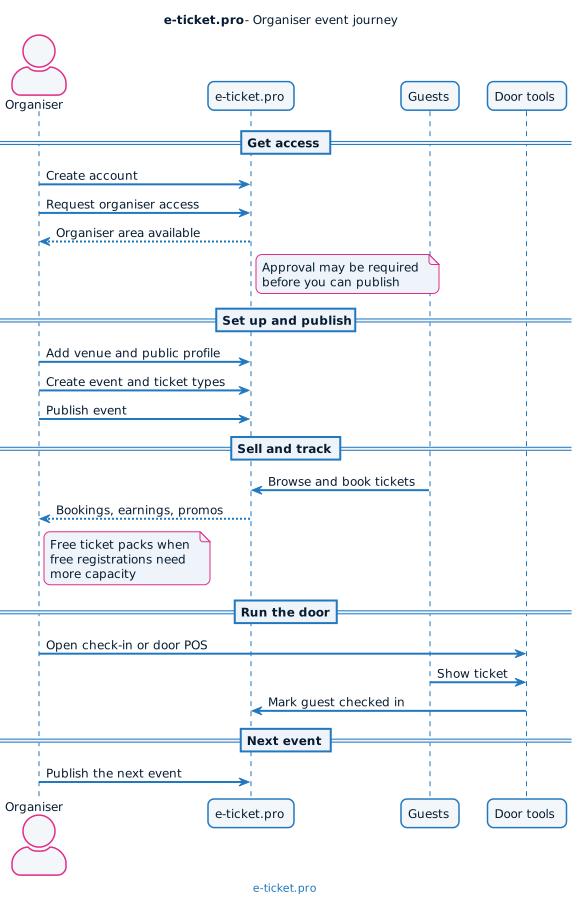
Set up your event, sell tickets with clear fees, and run the door from the organiser tools.
-
Get access
Create an account, request organiser access when required, then open the organiser area.
-
Set up
Add venues and your public profile. Create events with ticket types and schedules.
-
Sell and track
Bookings, earnings, promos, and free ticket packs when free registrations need more capacity.
-
Run the door
QR check-in and door POS in the organiser tools.
-
Publish again
List the next event from the same place customers already find you.
FAQ
Frequently asked questions
Short answers about booking and running events on e-ticket.pro.
What is the difference between free, paid, and offline tickets?
Free tickets confirm as soon as the booking is accepted. Paid online tickets go through Paystack and confirm after payment succeeds. Offline options stay awaiting payment until the organiser finishes their process.
Where do my tickets appear after I book?
After a confirmed booking you get an email with PDF tickets. You can also open My bookings on the website and use the e-ticket.pro phone app.
How do I become an organiser?
Create an account, request organiser access when the site asks for it, then sign in to the organiser area once you have access. From there you can add venues, create events, and publish.
Who handles card payments?
Paystack processes paid online checkout. Card details stay with Paystack. e-ticket.pro records the booking once payment succeeds. See How payments work.
Built for real ticket sales
Clear fees, familiar checkout, tickets that reach people.
- Platform fees are clear before you publish
- Paid tickets check out with Paystack in ZAR
- Tickets by email and app, with door check-in for organisers
Ready
Start with an event or an account
Browse what is on, or create an account to book and host.